
VEVOR Drain Camera Replacement Parts: Cables, Camera Heads, Screens, Skids and Chargers

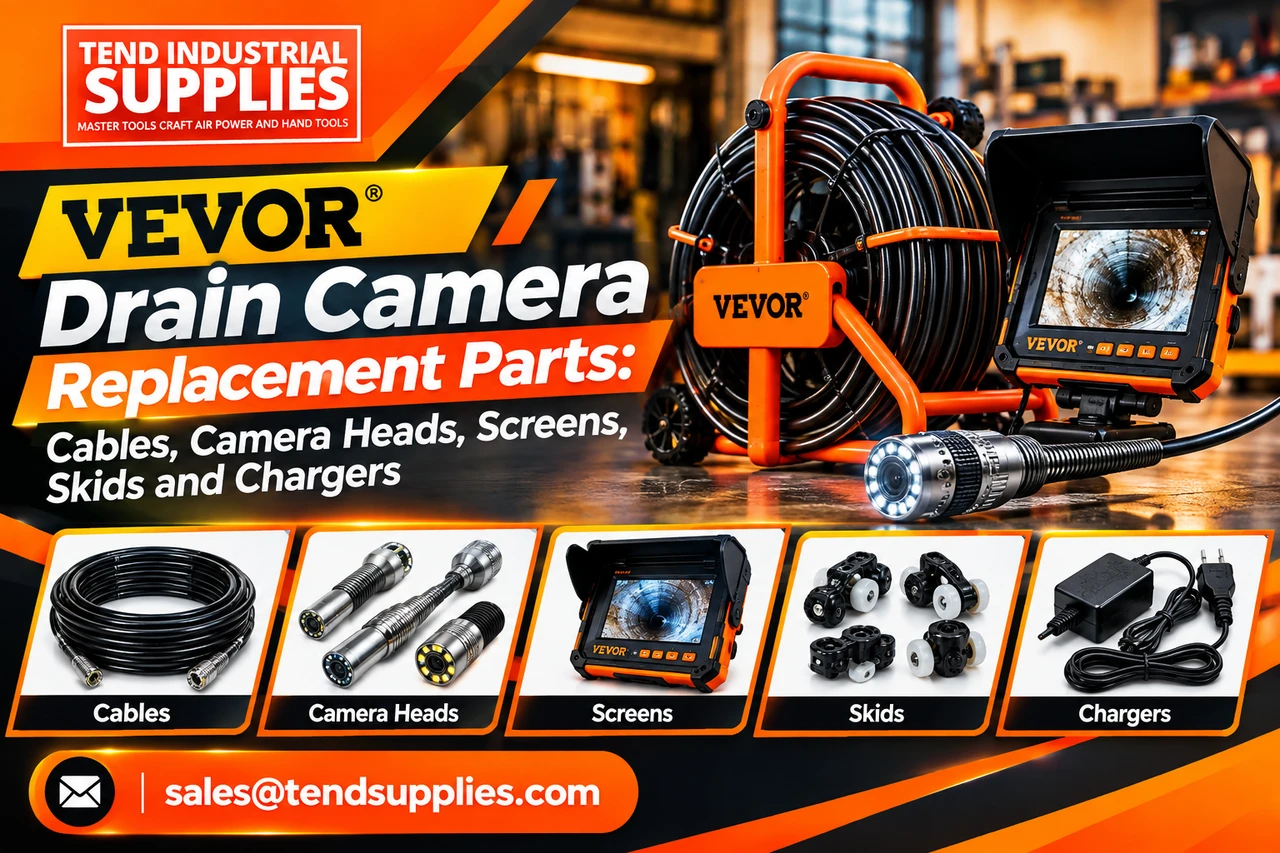

If your VEVOR drain camera has a damaged cable, dim monitor, missing skid or failed charger, do not order from appearance alone. The safest buying path is to match the exact model number, camera-head diameter, cable length, connector and power specification before purchasing. Tend Industrial Supplies can help source an available replacement or repair component when you send clear model and component photographs through our VEVOR spare-parts request page.
Need the part now? Submit the model number, damaged-part photo and shipping ZIP code. We will check availability and respond with the closest verified option. Replacement-part availability is not guaranteed, and some assemblies are supplied only as complete modules.
Which VEVOR drain camera part do you need?
Start with the symptom. The table below identifies the component most likely to require inspection, but it is not a substitute for model-level verification.
| Symptom | Part or assembly to check | What to send with your request |
|---|---|---|
| Camera has no image | Camera head, head-to-cable connector, push cable or monitor | Model label, connector photos and a short power-on video |
| Image cuts out when cable moves | Push cable, reel connection or camera-head lead | Cable length, damaged area and connector close-ups |
| Screen is cracked or blank | Monitor/display module, power input or battery | Monitor label, screen size, port layout and power rating |
| Camera will not charge | Charger, charging cable, battery or DC input socket | Charger label, plug dimensions, polarity and output voltage/current |
| Camera head will not stay centered | Skid or centering guide | Camera-head outside diameter and pipe sizes used |
| LEDs work but image is poor | Lens cover, camera head, LED ring or moisture seal | Head diameter, lens photo and evidence of water entry |
| Cable will not feed smoothly | Push cable, reel guide or reel hub | Cable diameter, total length and reel photographs |
VEVOR drain camera replacement parts explained
Push cables and reel assemblies
The push cable carries the camera head through the pipe and transmits the video signal back to the monitor. It is also one of the most heavily stressed components. Kinks, crushed sections, repeated tight bends and damaged terminations can produce intermittent video even when the camera head still appears intact.
Before requesting a cable, record:
- The complete VEVOR model number from the equipment label.
- The original cable length in feet or meters.
- Cable diameter, if measurable.
- Whether the cable includes a distance counter.
- Camera-head connector type and number of contacts.
- Reel style and the point where the cable connects to the reel or monitor.
A cable with the correct length but the wrong connector, signal arrangement or reel termination will not be a dependable replacement. Some VEVOR systems may require a complete cable-and-reel assembly rather than a loose push cable.
Camera heads and protective housings
The camera head combines the imaging sensor, lens, LEDs, waterproof housing and cable connection. Compatibility depends on more than diameter. Two heads that both measure 23 mm can use different connectors, signal formats, waterproofing arrangements or monitor electronics.
Send a straight-on photo of the lens, a side view of the housing, the connector from both sides and a ruler or caliper beside the head. Also state whether the system has self-leveling, a locating transmitter or an on-screen distance counter. Do not claim or assume those features from appearance.
Monitors, screens and DVR modules
A replacement monitor must work with the signal supplied by the camera and cable. Match the model label, display size, connector layout, recording function, memory-card support and input voltage. If the original unit includes DVR recording, a microphone, distance counter or locator interface, document those functions before requesting a replacement.
When the screen is blank, first confirm that the charger or battery is supplying the correct power. A power problem can look like a failed display. Do not connect an unverified adapter simply because the plug fits.
Chargers, power supplies and batteries
The charger label is the most important reference. Record its output voltage, output current, connector dimensions and polarity symbol. The camera system’s own input label should agree with the intended charger output.
Tend Industrial Supplies has previously sourced replacement charging solutions for VEVOR sewer-camera customers, but that does not make one charger universal across all VEVOR inspection-camera models. Send photographs of both labels and the plug before ordering.
Skids and centering guides
Skids hold the camera head away from the pipe wall, protect the lens and improve visibility in larger lines. Match the skid to the camera-head diameter and the pipe range. A skid that is too loose can detach; one that is too large may prevent the camera from passing bends.
For small pipes, use the smallest guide that still protects the head. Larger lines benefit from a guide that positions the lens nearer the pipe center. State the typical pipe diameter, bend severity and access opening when requesting a recommendation.
Reel, handle and storage components
Reel frames, hubs, handles, cable guides and cases may not always be offered as separate service parts. Send a full-system photograph and a close-up of the damaged mounting point. If the component is not available individually, the practical option may be a reel assembly, compatible hardware repair or replacement system.
How to identify your exact VEVOR sewer camera model
Use this five-step process before submitting a parts request.
1. Photograph the product label
Look on the monitor case, reel, control box and original carton. Capture the full label in focus. The model number is more useful than a marketplace order title.
2. Photograph the complete system
Place the monitor, reel, camera head, charger and accessories in one photograph. This helps distinguish similar generations and configurations.
3. Document every connector
Disconnect only components that are designed to be disconnected. Photograph the male and female sides, pin arrangement, locking ring and cable entry.
4. Measure the relevant component
Measure the camera-head diameter, plug outside diameter and cable length. Use a ruler for general dimensions and a caliper when connector or head diameter must be precise.
5. Describe the failure
State what happened before the failure, what still works and what troubleshooting has already been completed. A short video showing intermittent display or power behavior is often more useful than a long description.
Parts-request checklist
Submit the following through the Find VEVOR Parts form:
- Exact VEVOR model number.
- Original order number or product link, if available.
- Photograph of the equipment label.
- Full-system photograph.
- Close-up photographs of the damaged part and connectors.
- Required quantity.
- Shipping ZIP code and country.
- Brief fault description.
- Measurements for the head, connector or cable when relevant.
Requests with complete information can be evaluated faster. A photograph without the model label is often insufficient because visually similar VEVOR systems may use different electronics or connectors.
Repair the system or replace it?
| Situation | Usually consider repair or a replacement part | Usually compare a new system |
|---|---|---|
| Missing skid, charger or external accessory | Yes | No, unless other faults exist |
| Localized connector or cable-end damage | Yes, after compatibility and repair-cost review | If a complete cable/reel is uneconomical |
| Cracked monitor with working camera and cable | Yes, if a compatible display module is available | If monitor availability is poor |
| Water-damaged head plus intermittent cable | Obtain prices for both components | Often worth comparing a complete system |
| Multiple faults on an older unit | Only if parts are inexpensive and verified | Often the better operational decision |
| Contractor cannot tolerate downtime | Keep repair path open | Consider a replacement system plus the repaired unit as backup |
The decision should include diagnosis time, freight, part availability and the cost of lost work—not only the component price. Contractors who use cameras regularly can compare those costs in our rent-or-buy drain camera guide.
What Tend Industrial Supplies can and cannot confirm
We can review submitted identifiers, check available supplier or catalog options and help narrow the correct component. We cannot guarantee availability for every VEVOR model, and a requested item may be discontinued, region-specific or sold only within a larger assembly.
Compatibility is confirmed only when the model, dimensions, connector, electrical specification and supplier information align. Prices and delivery estimates remain subject to supplier confirmation. Do not ship a camera system to Tend Industrial Supplies unless return or repair instructions have been issued in writing.
Frequently asked questions
Can I buy a replacement cable for a VEVOR sewer camera?
Replacement cables or cable-and-reel assemblies may be available for some models. Send the exact model number, original cable length and photographs of both cable terminations before ordering.
Are VEVOR sewer camera heads interchangeable?
Do not assume they are. Head diameter, connector, video electronics, LED arrangement, self-leveling function and locating features can differ between models.
Can I use any charger with the same plug?
No. The plug must fit, but voltage, current, polarity and connector dimensions must also match the equipment specification. An incorrect adapter can damage the charger, battery or camera electronics.
What is a sewer-camera skid?
A skid is a protective centering guide fitted around the camera head. It helps keep the lens away from the pipe wall and can improve the viewing angle in larger pipes.
What should I do if the picture disappears when I bend the cable?
That symptom can indicate an internal cable break, damaged termination or connector problem. Record a short video of the fault and send photographs of the damaged section and connectors.
Can Tend Industrial Supplies repair my VEVOR drain camera?
Parts sourcing and compatibility review do not automatically include depot repair. Submit the fault details first. We will explain the available supply or service path before you send equipment anywhere.
How quickly will I receive a response?
Response time depends on the completeness of the request and supplier availability. Complete model, label, measurement and photo information reduces avoidable follow-up.
What if the replacement part is unavailable?
We may suggest a complete assembly, a verified alternative repair path or a replacement camera system. No substitute should be presented as compatible until its critical specifications are confirmed.
Request your VEVOR drain camera part
Do not lose time ordering by appearance. Use the VEVOR spare-parts request form and submit the model label details, full-system description, damaged-part information and connector details. Follow the page instructions to email supporting photographs.
Send the model and photos before ordering
Get a compatibility and availability review for the exact VEVOR drain-camera component you need.
Find VEVOR Drain Camera Parts
Newest Guide & products Updates
Air Regulators for Paint Booths: What to Buy Before You Order
For a paint-booth spray-air branch, buy a correctly sized filter-regulator without an oil-mist lubri...
Best 3/8-Inch Air Ratchet for Mechanics: SI-1205B or SI-1218EX?
Choose the Shinano SI-1205B when a light, compact 3/8-inch air ratchet is the priority; compare the...
Compact Air Impact Wrench for Tight Automotive Spaces: SI-1610SR Buying Guide
Buy a compact air impact wrench when access and manageable tool weight matter—but only after checkin...
WAALPC FRL Replacement Filters: Match the Part Before You Buy
Buy a replacement FRL filter element by its confirmed model family and dimensions—not by the words “...
Shinano 5-Inch Air Grinder Review: M14 vs 5/8-11 Spindle
Tend Industrial Knowledge Center / Product comparisons Looking for the best 5-inch air angle grinde...

Premium Air Impact Wrenches: Shinano vs CP, Dynabrade & Ingersoll Rand
Hero: original AI-generated editorial illustration; pictured tools are not exact product models. A s...